Personnaliser votre message de connexion SSH avec MOTD
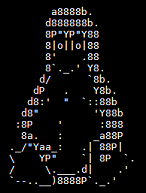
Lorsque vous vous connectez au Raspberry en SSH ou via un terminal sous X, un petit message vous dit sur quelle machine
vous êtes connecté. Nous allons donc personnaliser ce message.
Créer un script update_motd.sh avec ce contenu :
#! /bin/sh
upSeconds=`/usr/bin/cut -d. -f1 /proc/uptime`
secs=$(($upSeconds%60))
mins=$(($upSeconds/60%60))
hours=$(($upSeconds/3600%24))
days=$(($upSeconds/86400))
UPTIME=`printf "%d days, %02dh %02dm %02ds " "$days" "$hours" "$mins" "$secs"`
# get the load averages
##read one five fifteen rest < /proc/loadavg
echo "
$(tput setaf 2) .~~. .~~. `date +"%A, %e %B %Y, %r"`
$(tput setaf 6) / $(tput setaf 2)'. \ ' ' / .'$(tput setaf 6) \ `uname -srmo`$(tput setaf 1)
$(tput setaf 6) | / $(tput setaf 1).~ .~~~..~.$(tput setaf 6) \ |
$(tput setaf 6) | | / $(tput setaf 1) : .~.'~'.~. :$(tput setaf 6) \ | | Uptime.............: ${UPTIME}
$(tput setaf 6)| | | $(tput setaf 1)~ ( ) ( ) ~$(tput setaf 6) | | | Memory.............: `cat /proc/meminfo | grep MemFree | awk {'print $2'}`kB (Free) $
$(tput setaf 6)| | | $(tput setaf 1)( : '~'.~.'~' : )$(tput setaf 6) | | | Load Averages......: ${one}, ${five}, ${fifteen} (1, 5, 15 min)
$(tput setaf 6)| | | $(tput setaf 1)~ .~ ( ) ~. ~ $(tput setaf 6) | | | Running Processes..: `ps ax | wc -l | tr -d " "`
$(tput setaf 6) | | \ $(tput setaf 1)( : '~' : )$(tput setaf 6) / | | IP Addresses.......: `/sbin/ifconfig eth0 | /bin/grep "inet addr" | /usr/bin/cut $
$(tput setaf 6) | \ $(tput setaf 1)'~ .~~~. ~'$(tput setaf 6) / | Weather............: `curl -s "http://rss.accuweather.com/rss/liveweather_rss.asp$
$(tput setaf 6) \ $(tput setaf 1)'~'$(tput setaf 6) / Free Disk Space....: `df -Pk | grep -E '^/dev/sda1' | awk '{ print $4 }' | awk -F$
$(tput bold ; tput setaf 4) Raspberry Pi$(tput sgr0)
" > /etc/motd
Le script va écrire dans le fichier /etc/motd.
Par contre vous pouvez avoir à ajouter des espaces en début de ligne pour aligner le tout.
Mettre en place une actualisation régulière du fichier /etc/motd via un job dans la crontab :
Lancez la commande crontab -e et copiez la ligne suivante en fin de fichier :
*/10 * * * * /root/update_motd.sh
Le script va s’exécuter toutes les 10 minutes.

